
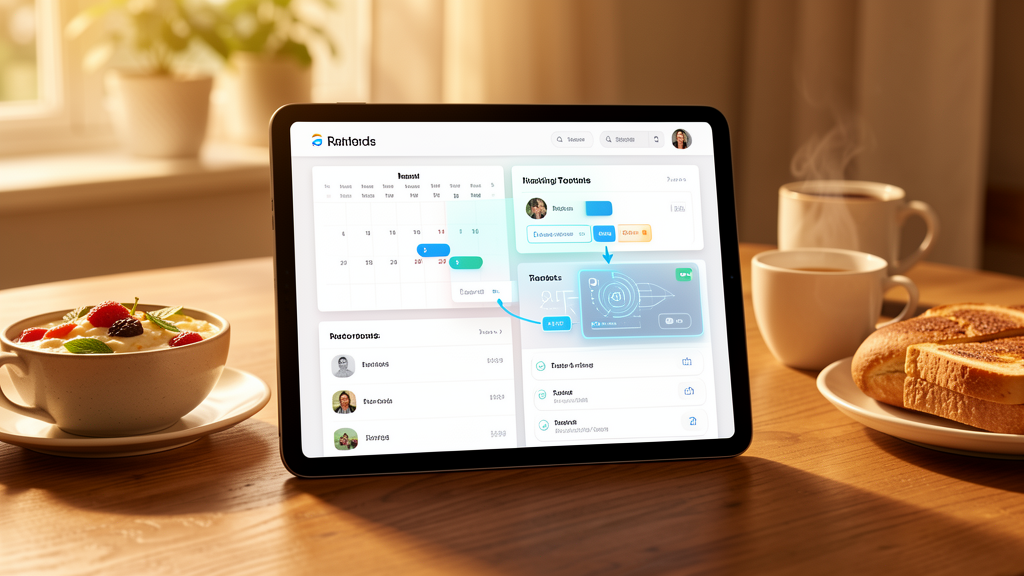
You open your messaging app on a Tuesday morning. Your AI assistant has been running while you slept. It pulled your unread emails, flagged three that need responses, and drafted replies for two. Your calendar is laid out with a scheduling conflict identified and a suggested fix. A document you were editing yesterday has been formatted, sources appended. A daily briefing covers the four topics you told it to track last week.
You review, approve, adjust, and move on. Forty minutes. You've just done what used to take two to three hours of switching between apps, tabs, and tools. The rest of your morning belongs to you.
This isn't a chatbot you open when you have a question
The gap between "AI assistant" as marketing language and "AI assistant" as a working system is enormous. A real personal AI infrastructure stack has four layers.
A persistent agent runs continuously on your own hardware. It's a background process with access to your systems, not a chat window you visit. Integrations connect it to the services you actually use: email via Gmail or IMAP, calendar via CalDAV, files via Nextcloud or local storage, messaging via Telegram or Signal or Slack. Each integration requires authentication and a defined scope of what the assistant can read and do.
Then there's memory. This is the part most people underestimate. A useful assistant needs to remember your preferences, your ongoing projects, your communication patterns, and context from previous interactions. Without persistent memory, every interaction starts from zero. You're training the same intern every morning.
Finally, a skill system. The assistant sends emails, creates calendar events, moves files, runs scripts, updates documents. Each capability is a discrete skill that gets configured and tested.
OpenClaw, the open-source project built by Peter Steinberger, implements this architecture. It runs on your machine, connects to your messaging apps, maintains memory across sessions, and has a skill system that users can extend. In late January 2026, it went viral because people realized it actually works. One user described controlling "Gmail, Calendar, WordPress, Hetzner from Telegram like a boss" within 30 minutes of setup. Another found the assistant "independently assessing how it can help me in the background," connecting two unrelated conversations from different messaging channels into a single useful document.
The 40-minute morning breaks into four distinct phases
The first ten minutes are triage. The assistant has already processed overnight activity. Emails are categorized by urgency, calendar displayed with conflicts flagged, news tracking summarized. You scan rather than read. The assistant has done the reading.
Minutes ten through twenty are decisions. You review flagged items needing your input. The assistant has drafted email responses based on your previous patterns and thread context. You approve, modify, or reject each draft. Calendar conflicts get resolved based on priorities you've already stated.

The next ten minutes are creation. You work on whatever requires your actual thinking: a document draft, a project plan, meeting notes that need organizing. The assistant handles structure, formatting, and sourcing. You handle judgment: what to say, what to prioritize, what to cut.
The final ten minutes are configuration. You tell the assistant about anything new. "Track this topic." "When this person emails, flag it immediately." "Draft a weekly summary of these metrics every Friday." These instructions persist in memory and become part of ongoing automation. Each week, the system gets slightly smarter about your preferences.
Most people won't adopt this, and the reasons aren't technical
Trust is the first barrier. Giving an AI persistent access to your email, calendar, and documents requires comfort that most people haven't developed. The assistant reads your personal messages. It sees your schedule. For people already uncomfortable with how much data Google holds, adding an AI layer feels like too much.
Setup cost is real. Even with OpenClaw making installation easier, configuring a full stack takes hours of initial work plus ongoing maintenance. You set up integrations, configure permissions, establish memory context, test each capability. This is closer to setting up a home server than downloading an app.
The deepest barrier is psychological. Most people relate to technology as consumers, not administrators. They use products someone else maintains. Running your own AI infrastructure, even with free open-source software, requires a fundamental shift in how you think about your relationship with your tools.
These barriers won't disappear. They'll shrink as the software improves, but the divide between people who run their own infrastructure and people who wait for managed services is a permanent feature of how technology adoption works.
Apple and Google will offer something similar, but with strings attached
The strongest argument against personal AI infrastructure is that managed services will eventually provide the same capabilities with none of the setup cost. Apple Intelligence, Google's Gemini integration, Microsoft's Copilot are all moving toward persistent, contextual AI assistance.
This argument is historically strong. Most people don't run their own email servers. Most people don't host their own websites. Convenience beats control for the majority.
But managed AI assistants will be constrained by the business incentives of the companies providing them. Apple's assistant will steer you toward Apple services. Google's will optimize for data collection. Microsoft's will push you toward 365. The assistant's goals won't fully align with yours because the company's goals don't.

The capability gap matters more. A personal assistant you control can connect to any service, run any automation, and maintain any context you choose. A managed assistant can only do what the platform permits. For anyone whose workflow doesn't fit neatly into a single ecosystem, personal infrastructure provides capabilities that managed services structurally cannot.
The asymmetry between adopters and everyone else will compound for years
If personal AI infrastructure provides significant productivity advantages and most people won't adopt it, you have a classic early-adopter gap.
Someone saving 90 minutes per day on information processing and administrative tasks recovers roughly 547 hours per year. At a professional rate of $150 per hour, that's $82,000 in recovered productive capacity annually. The setup cost is measured in hours of configuration and a few hundred dollars in hardware. The ROI is absurd. It's the kind of return that would make any business case trivial, if it came packaged as enterprise software instead of a command-line tool you install on your MacBook.
The parallel is personal computing in the early 1980s. People who learned spreadsheets, databases, and word processors gained massive productivity advantages over peers who stuck with paper. The advantage persisted until the tools became ubiquitous, which took about fifteen years. We're in the equivalent of 1982 for personal AI infrastructure. The tools work. Most people haven't started. The window of asymmetric advantage is wide open.
But the gains go beyond raw time. When AI handles what I call "connective tissue" tasks, the reading, sorting, formatting, scheduling, tracking, and reminding that consume the majority of knowledge worker hours, the human's remaining time shifts entirely to judgment, creativity, and decision-making. You stop spending mental energy on email triage, and that energy goes somewhere better. The indirect benefits may exceed the direct time savings.
Here's how to start without drowning in configuration
Pick one workflow to automate first. Email triage is the most common starting point because it's high-volume, low-complexity, and the time savings are immediately obvious. Let the assistant summarize your inbox without sending anything. Read-only access. Verify its judgment before granting write permissions.
Add calendar management second. Let it display your schedule with conflicts flagged, then graduate to letting it suggest resolutions, then to actually making changes on your behalf.
Third, compound. Add document management, task tracking, and custom automations. Each new integration multiplies the value of the ones before it because the assistant builds context across systems. An email about a project connects to a calendar event connects to a document connects to a task. The assistant sees the relationships you'd otherwise track manually.
The tools exist today. OpenClaw is free, open source, and has an active community. The question isn't whether the technology works.
The question is whether you'll build your own infrastructure now, while the advantage compounds, or wait for a corporation to package it for you with their priorities baked in instead of yours. Forty minutes every morning. That's what's on the table. What are you doing with the other two hours?
